Baby Monitor Won't Connect to WiFi? Here's the No-Setup Solution
Struggling with WiFi baby monitor setup failures, app errors, or connection drops? The VTech VM819 eliminates all setup with encrypted direct transmission—no WiFi, no app, no frustration.
Why Your Baby Monitor Won't Connect (And What Actually Works)
If you've spent the last hour trying to pair a WiFi baby monitor to your router—only to hit error codes, failed handshakes, or app crashes—you're not alone. Many new parents face the same cycle: download the app, create an account, enter WiFi credentials, wait for pairing, restart the router, try again. By the time it connects, you're exhausted and the baby is already awake.
The root cause is almost always the same: WiFi baby monitors depend on your home network, cloud servers, and app infrastructure to function. When any link in that chain breaks—router firmware, ISP issues, server downtime, app bugs—your monitor stops working. And setup can fail entirely if your network uses 5GHz-only bands, has strict firewall rules, or requires enterprise authentication.
The Instant-On Fix: Skip WiFi Entirely
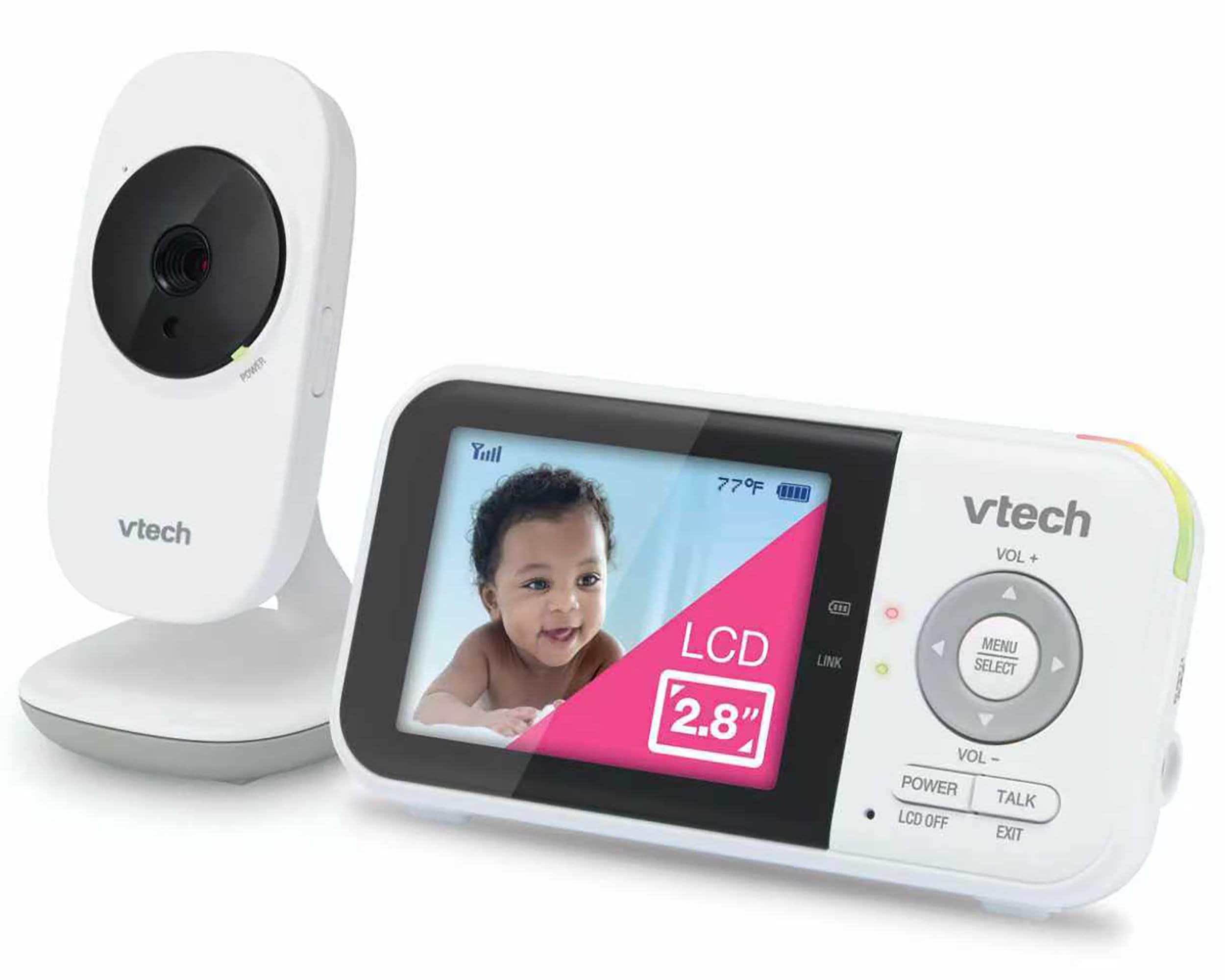
The VTech VM819 solves this by removing WiFi from the equation. The camera and parent unit pair automatically out of the box using encrypted 2.4GHz FHSS technology—a secure, direct radio connection that never touches your router, the internet, or any cloud service. You unbox it, plug it in, and it works. No app download, no account creation, no network troubleshooting at 3 a.m.
The 2.8-inch LCD parent unit shows a real-time video feed with zero streaming delay. Infrared night vision activates automatically in the dark, and 2x digital zoom lets you check on details without entering the room. The 2,600mAh battery powers up to 19 hours of standby (screen off, sound-activated alerts) or several hours of continuous viewing, and the system maintains a stable connection up to 1,000 feet in open space.
What You Get
- Encrypted direct transmission—no WiFi, router, or internet required
- Automatic pairing out of the box
- 2.8-inch LCD with infrared night vision and 2x zoom
- Up to 19 hours battery life (sound-activated mode)
- 1,000-foot range in open areas
- Two-way talk, temperature sensor, and lullaby playback
- Sound-activated screen to save battery
Who This Is For
This monitor is ideal if you want zero setup complexity, need a monitor that works independently of your home network, or have had repeated failures with app-based systems. It's also a strong choice for parents in apartments with crowded WiFi, homes with unreliable internet, or anyone who values privacy and prefers a closed system with no cloud access.
Who Should Skip It
If you specifically want remote viewing from your phone while away from home, or if you need multi-user access via app, this won't fit—those features require internet connectivity. The VTech VM819 is a local-only system by design.
Related Buying Guides
- How to Monitor Your Baby Without WiFi or Cloud Accounts
- 3 Best Non-WiFi Baby Monitors with Long Battery Life in 2026
- VTech VM819 vs HelloBaby HB6550 vs HelloBaby HB6560: Which No-WiFi Baby Monitor is Right for You?
- VTech VM819 Baby Monitor Guide: No WiFi Setup for New Parents
- Best No-WiFi Baby Monitors for Privacy and Long Battery Life in 2026
- HelloBaby 6" IPS Video Baby Monitor FAQ: Is the 30-Hour Battery Worth It?