How to Monitor Your Baby Without WiFi: Setup Guide for the HelloBaby HB6550
Learn how to set up and use a non-WiFi baby monitor for secure, hack-free nursery monitoring. Step-by-step guide for the HelloBaby HB6550 with pan-tilt-zoom camera.
Why Choose a Non-WiFi Baby Monitor
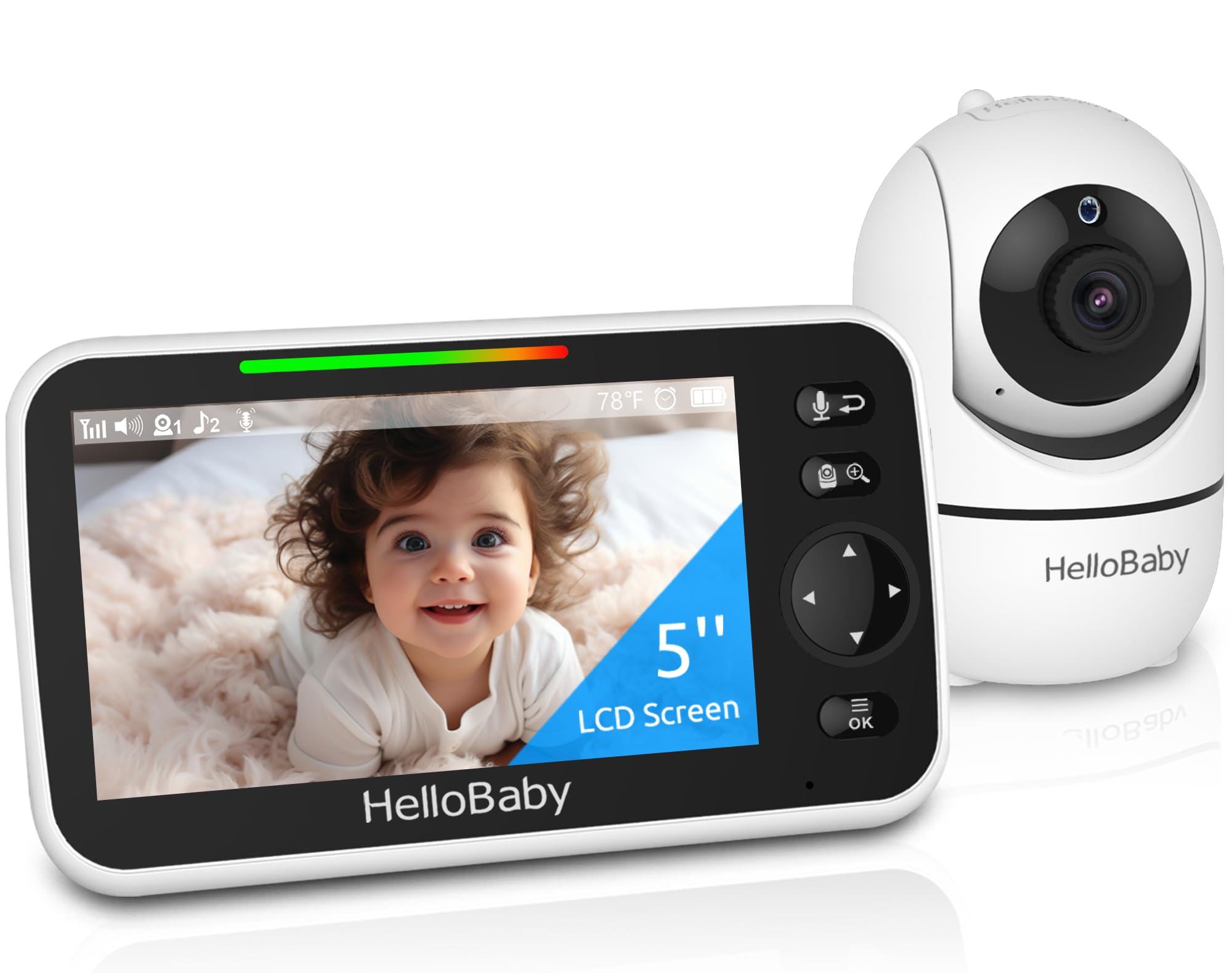
If you're concerned about WiFi security or simply want a plug-and-play monitoring solution, a non-WiFi baby monitor eliminates hacking risks and complicated app setups. The HelloBaby HB6550 uses secure 2.4GHz FHSS technology with digital encryption, so the video feed stays between the camera and the 5-inch monitor screen—no internet required.
How to Set Up Your Non-WiFi Baby Monitor
Step 1: Unbox and Charge
Remove the camera and monitor from the packaging. Plug the monitor into the charging cable and let it charge fully before first use. The HB6550 offers up to 30 hours of battery life in VOX mode, so a full charge ensures you won't lose coverage overnight.
Step 2: Position the Camera
Place the camera on a flat surface or mount it on the wall in your baby's room. Aim it toward the crib, keeping the unit at least three feet away from the baby. The camera supports 355° horizontal pan and 120° vertical tilt, which you can control remotely from the monitor.
Step 3: Power On and Pair
Turn on both the camera and monitor. They should pair automatically within seconds using the encrypted 2.4GHz signal. If pairing doesn't happen, consult the quick-start guide to manually sync the devices. No apps, no passwords, no router configuration.
Step 4: Adjust Settings
Use the monitor's menu to enable infrared night vision, adjust volume, set temperature alerts, and choose from 8 built-in lullabies. The two-way audio feature lets you talk to your baby directly through the camera speaker.
Step 5: Test Range and Zoom
Walk around your home with the monitor to confirm the 1000-foot range works in your layout. Use the 2X zoom function to get a closer look at your baby without entering the room. The noiseless pan-tilt motor won't wake them during adjustments.
What to Check Before Buying
- Range: The 1000-foot range works well in most homes, but thick walls or metal structures may reduce signal strength.
- Screen size: A 5-inch display is large enough to see details without squinting, but consider your preference for portability versus screen real estate.
- Night vision: The HB6550 uses invisible infrared LEDs, so there's no red glow to disturb sleep.
- Battery life: VOX mode (sound-activated) extends battery life up to 30 hours; continuous video drains it faster.
Who Should Buy This Monitor
This monitor is ideal for parents who want nursery monitoring without internet dependency, tech setup, or subscription fees. It's especially useful in homes with spotty WiFi or for families who prioritize privacy and offline security.
Related Buying Guides
- How to Monitor Your Baby Without WiFi or Cloud Accounts
- 3 Best Non-WiFi Baby Monitors with Long Battery Life in 2026
- VTech VM819 vs HelloBaby HB6550 vs HelloBaby HB6560: Which No-WiFi Baby Monitor is Right for You?
- VTech VM819 Baby Monitor Guide: No WiFi Setup for New Parents
- Best No-WiFi Baby Monitors for Privacy and Long Battery Life in 2026
- HelloBaby 6" IPS Video Baby Monitor FAQ: Is the 30-Hour Battery Worth It?