How to Set Up a Baby Monitor Without WiFi in Under 5 Minutes
Learn how to set up the VTech VM819 non-WiFi baby monitor in minutes with no app, no network config, and no cloud account required. Simple plug-and-go setup guide.
Why Parents Choose Non-WiFi Baby Monitors
Many new parents face the same frustration: spending hours trying to connect a WiFi baby monitor to their home network, troubleshooting app logins, and worrying about cloud security—all while sleep-deprived. If you want a monitor that works the moment you plug it in, a non-WiFi model eliminates every one of those headaches.
The VTech VM819 is designed for exactly this situation. It uses encrypted 2.4GHz FHSS technology to create a direct, private connection between the camera and parent unit. No router setup, no app download, no cloud account. Just power on both devices and they pair automatically.
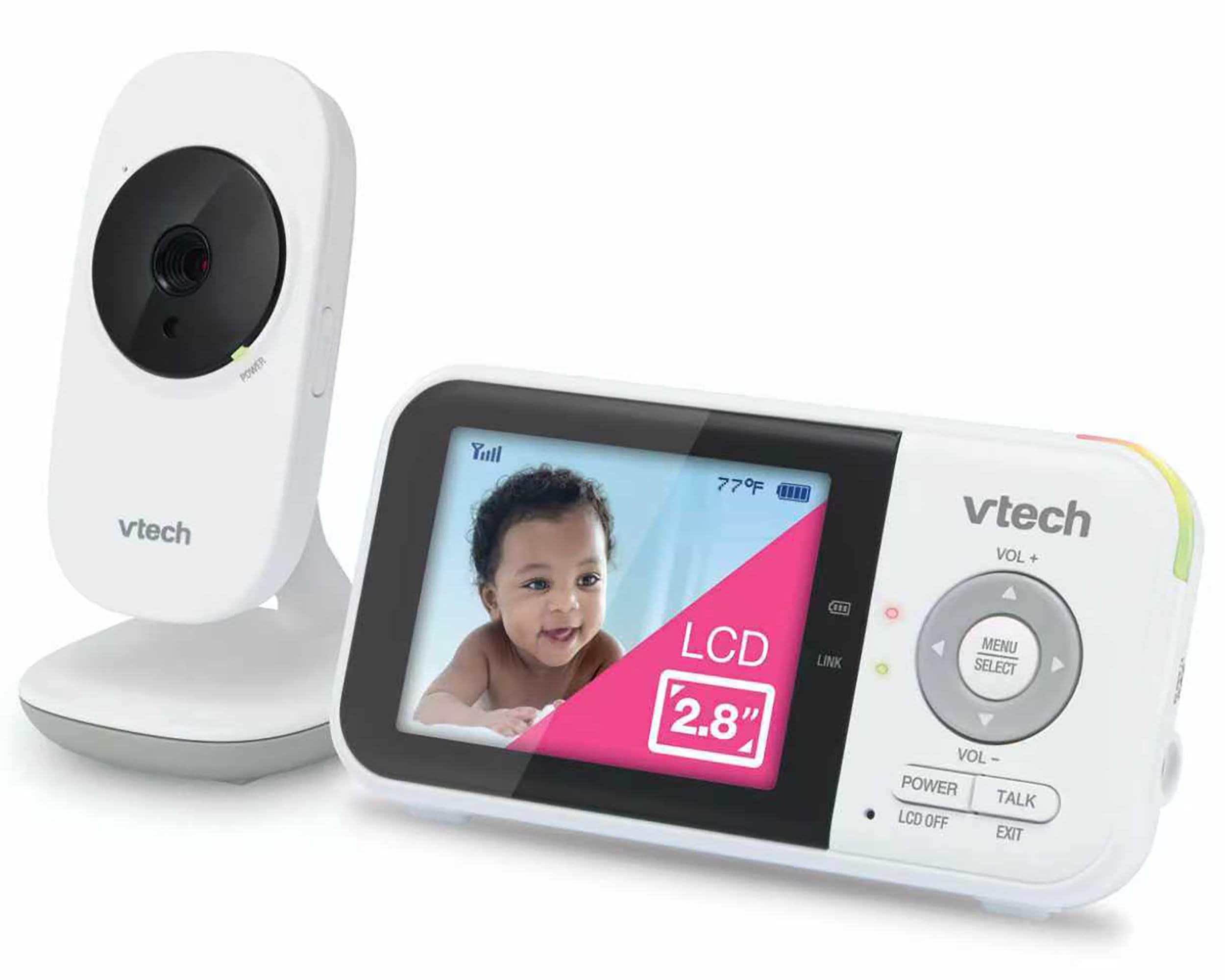
Simple 3-Step Setup Process
Here's how to get the VTech VM819 running in your nursery:
- Step 1: Plug the camera into an outlet near the crib. Position it so it has a clear view of your baby, ideally at an angle rather than directly overhead.
- Step 2: Power on the parent unit. The devices will automatically pair within seconds using secure encrypted transmission.
- Step 3: Adjust the camera angle and volume. Use the 2x digital zoom if you want a closer look without entering the room.
That's it. No WiFi password entry, no firmware updates, no account registration. The 2.8-inch LCD parent unit shows a real-time view with zero streaming delay, and infrared night vision activates automatically when the lights go out.
Key Maintenance Tips
To keep your monitor running smoothly:
- Charge the parent unit fully before first use. The 2,600mAh battery provides up to 19 hours of video monitoring on a single charge.
- Keep the camera and parent unit within 1,000 feet of each other for optimal range. Walls and large appliances can reduce signal strength.
- Enable sound-activated screen mode to save battery. The display turns off when the nursery is quiet and wakes up when it detects sound.
- Use the built-in temperature sensor to monitor nursery conditions. Ideal room temp for infants is between 68-72°F.
Who Should Use This Setup
This monitor is ideal for parents who want privacy and simplicity. Because it never connects to the internet, there's no risk of third-party access or hacking. It's also perfect for homes with unreliable WiFi or parents who don't want another device competing for bandwidth.
If you need remote viewing from your phone while at work, a WiFi model would be better. But for in-home monitoring with zero hassle, the non-WiFi approach is hard to beat.
Related Buying Guides
- How to Monitor Your Baby Without WiFi or Cloud Accounts
- 3 Best Non-WiFi Baby Monitors with Long Battery Life in 2026
- VTech VM819 vs HelloBaby HB6550 vs HelloBaby HB6560: Which No-WiFi Baby Monitor is Right for You?
- VTech VM819 Baby Monitor Guide: No WiFi Setup for New Parents
- Best No-WiFi Baby Monitors for Privacy and Long Battery Life in 2026
- HelloBaby 6" IPS Video Baby Monitor FAQ: Is the 30-Hour Battery Worth It?