How to Set Up a Baby Monitor Without WiFi or Internet Connection
Learn how to install and maintain a no-WiFi baby monitor for instant private connection. Step-by-step setup guide for plug-and-play nursery monitoring without apps or cloud accounts.
Why Choose a No-WiFi Baby Monitor Setup
WiFi baby monitors require router configuration, app downloads, firmware updates, and cloud accounts. For parents who want a nursery monitor that works the moment you unbox it—without touching your home network—a direct-connection system eliminates setup headaches and keeps your baby's video stream completely private.
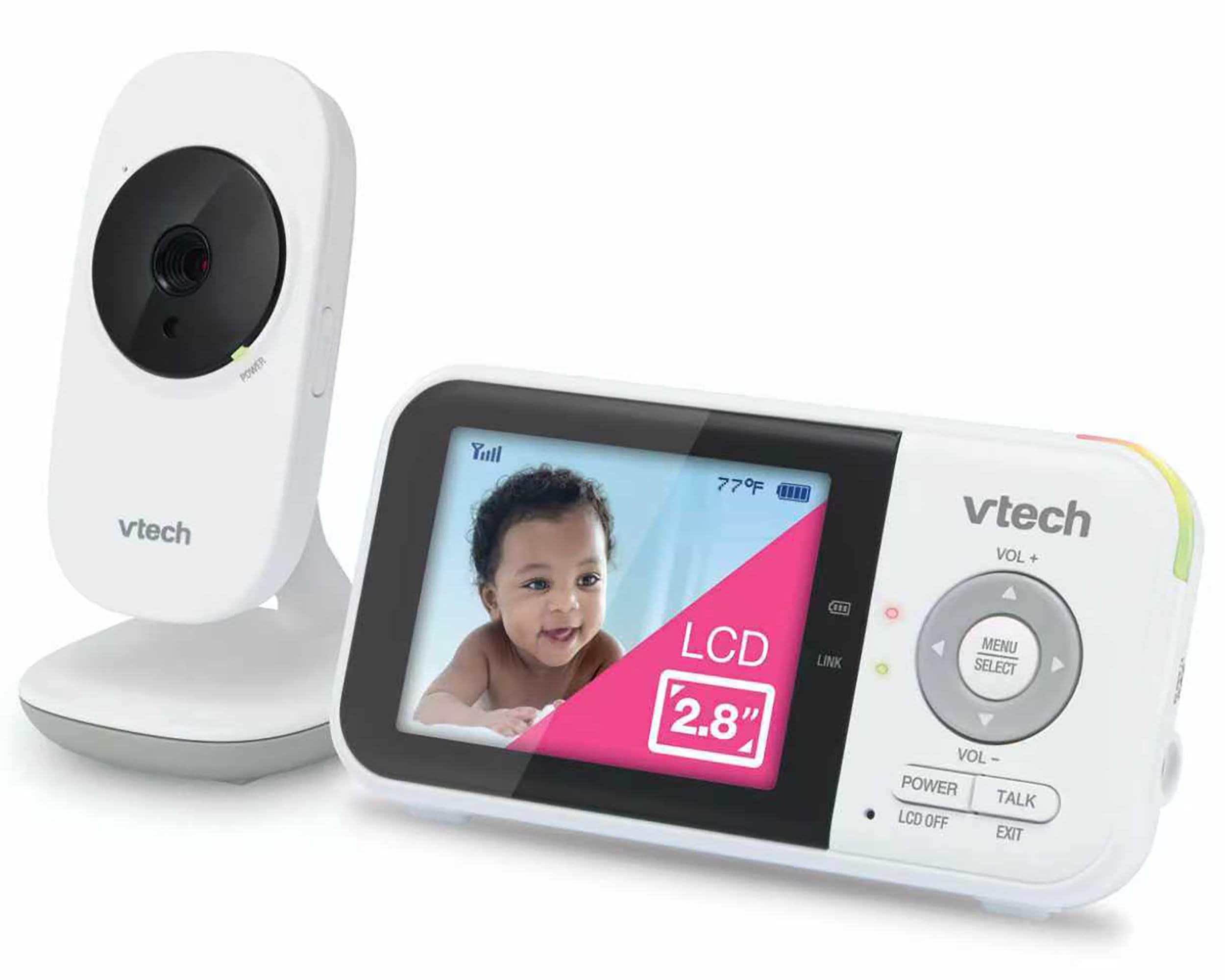
Setting Up Your Non-WiFi Monitor in Under 5 Minutes
The VTech VM819 pairs automatically out of the box using encrypted 2.4GHz FHSS transmission. Plug the camera into an outlet near the crib, power on the parent unit, and the connection establishes instantly with no configuration. No router login, no password entry, no app installation required.
Camera Placement Best Practices
- Position the camera 6–8 feet from the crib at a slight downward angle for full crib coverage
- Keep the unit at least 3 feet away from the crib rails to stay outside your baby's reach
- Place the power cord behind furniture or use cord covers to prevent tripping hazards
- Test the 1000ft range by carrying the parent unit to every room you plan to monitor from
Parent Unit Battery Maintenance
The 2,600mAh rechargeable battery delivers up to 19 hours of video monitoring on a full charge. Charge the parent unit overnight on the included dock when the low battery indicator appears. For longest battery life, avoid leaving the unit plugged in continuously once fully charged.
Adjusting Night Vision and Sound Activation
Infrared night vision activates automatically when the nursery darkens—no manual switching needed. If you want the 2.8-inch screen to stay off until your baby makes noise, enable sound-activated mode in the settings menu. The display will wake when it detects sound above your chosen sensitivity level, extending battery life overnight.
Temperature Monitoring Setup
The built-in sensor displays nursery temperature on the parent unit screen. Check this reading during evening and morning routines to confirm your baby's room stays within the safe 68–72°F range pediatricians recommend.
Routine Maintenance Checklist
- Wipe the camera lens with a microfiber cloth monthly to keep night vision clear
- Check that the camera's view hasn't shifted if you recently adjusted crib bedding
- Test two-way talk volume from different rooms to confirm you can soothe your baby remotely
- Clean the parent unit screen with a soft dry cloth—avoid liquid cleaners near electronics
Who This Setup Works Best For
Parents who want zero configuration, renters without router access, families concerned about cloud security, and anyone who has struggled with app-based monitors will appreciate a system that never requires a network connection. This setup also works during internet outages and in homes with weak WiFi coverage in the nursery.
Who should choose a WiFi model instead: Parents who need smartphone viewing from work or want to share access with multiple family members across different locations need an internet-connected system.
Related Buying Guides
- How to Monitor Your Baby Without WiFi or Cloud Accounts
- 3 Best Non-WiFi Baby Monitors with Long Battery Life in 2026
- VTech VM819 vs HelloBaby HB6550 vs HelloBaby HB6560: Which No-WiFi Baby Monitor is Right for You?
- VTech VM819 Baby Monitor Guide: No WiFi Setup for New Parents
- Best No-WiFi Baby Monitors for Privacy and Long Battery Life in 2026
- HelloBaby 6" IPS Video Baby Monitor FAQ: Is the 30-Hour Battery Worth It?