Skip Hop Baby Walker Not Moving? How to Fix Speed Control and Wheel Issues
Troubleshoot your Skip Hop 5-in-1 baby walker when it won't move or rolls too fast. Quick fixes for speed control, wheel locks, and friction adjustments.
Why Your Skip Hop Baby Walker Won't Move Properly
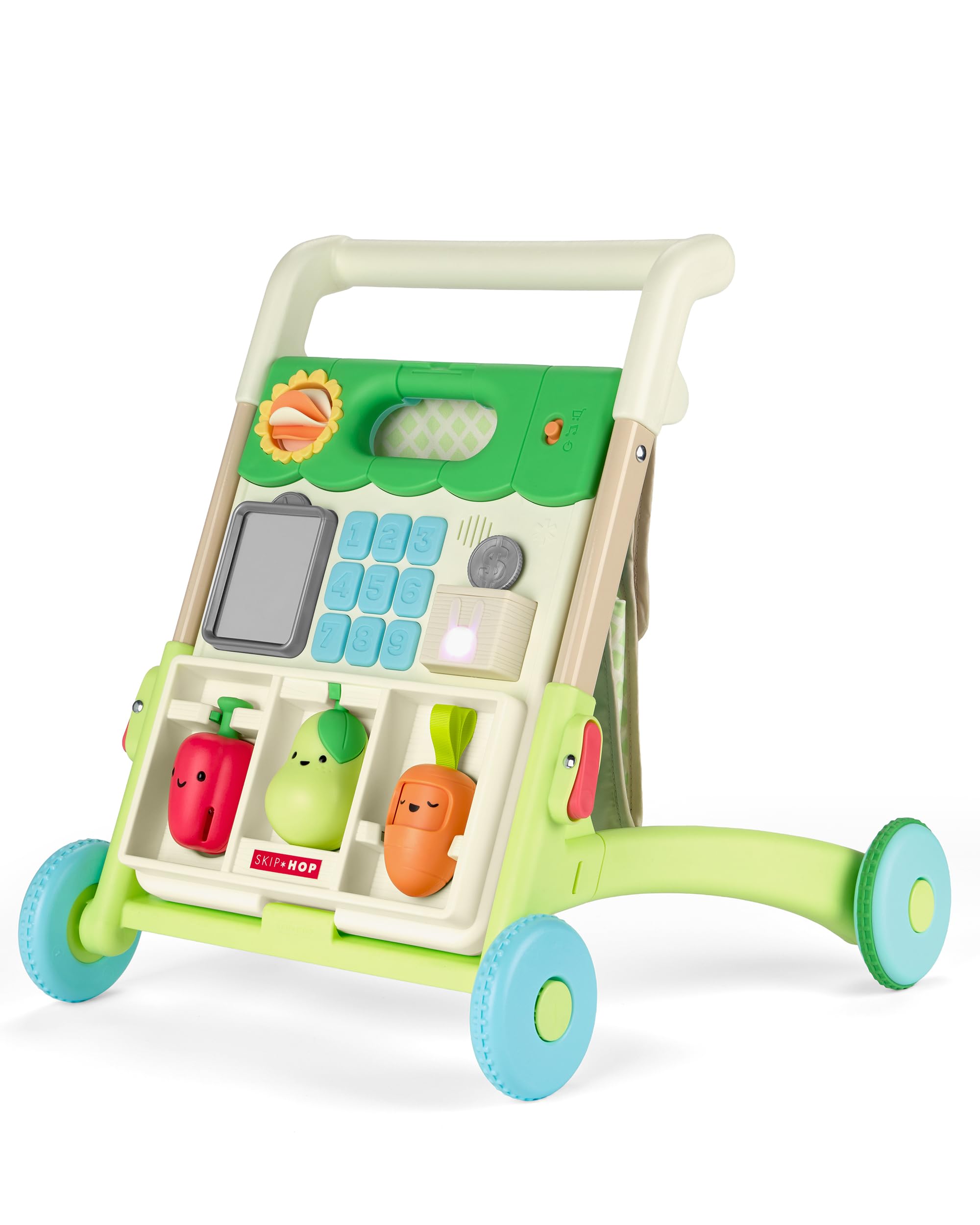
If your Skip Hop 5-in-1 Sit to Stand baby walker isn't rolling smoothly or seems stuck, you're not alone. This convertible walker has a built-in speed control switch designed to adjust resistance, but several common issues can prevent it from working as expected.
Most Likely Causes
- Speed control switch in locked position: The walker includes a friction control underneath to slow movement for new cruisers. If set too high, wheels won't roll.
- Debris or hair wrapped around wheels: Small toys, carpet fibers, or pet hair can jam the wheel axles.
- Uneven floor surface: Thick carpet or rugs create too much resistance for the walker's wheels, especially in slower speed settings.
- Weight distribution: If baby isn't bearing enough weight on the walker or it's tilted backward, wheels may lift slightly off the ground.
How to Fix It
Start by flipping the Skip Hop 5-in-1 Walker over and locating the speed control switch on the underside. This switch adjusts wheel friction—slide it to the lowest resistance setting for easier rolling. Clean each wheel by removing any tangled hair or debris around the axles using a damp cloth or tweezers.
Test the walker on a hard, flat surface like hardwood or tile. If it rolls freely there but not on carpet, the pile is likely too thick for the current speed setting. Adjust the friction control to the fastest setting or encourage cruising on smoother floors until your child builds more strength.
Check that all four wheels spin independently. If one wheel is stuck, inspect for cracks or misalignment. The walker's three adjustable handle heights should also be set appropriately—if the handle is too low, baby may push down rather than forward, reducing wheel contact.
When the Walker Rolls Too Fast
Conversely, if the walker moves too quickly for your early cruiser, increase the friction using the speed control switch. This feature is specifically designed to slow the walker as baby learns balance and coordination, typically between 6 and 12 months.
Product Specs and Compatibility
| Feature | Detail |
|---|---|
| Age Range | 6 months to 5 years |
| Modes | 5 (seated, cruising, shopping cart, stroller, pretend play) |
| Handle Heights | 3 adjustable positions |
| Activities | 50+ with lights, songs, sounds |
| Best Surface | Hard floors (wood, tile, laminate) |
This walker is rated 4.7 out of 5 stars and designed to grow with your child through multiple developmental stages. The speed control feature is essential during the cruising phase but becomes less critical once your toddler transitions to shopping cart or stroller mode.
Who This Solution Works For
This fix applies to parents whose baby is ready to cruise (typically 9-12 months) but the walker either won't budge or races away too quickly. If your child is just starting to pull up, keep the friction high. As they gain confidence, gradually reduce resistance.
Skip this product if you only have high-pile carpet throughout your home—the walker performs best on hard surfaces regardless of speed setting adjustments.
Check price and availabilityRelated Buying Guides
- VTech vs Bautia vs Skip Hop Baby Walker: Which Is Best for Your Child?
- VTech Sit-to-Stand Learning Walker Guide: What New Parents Should Know
- How to Keep Your VTech Sit-to-Stand Walker Rolling Smoothly
- Skip Hop vs Bautia vs VTech Baby Walker: Which One to Buy in 2026?
- Best Baby Walkers for Learning to Walk: Skip Hop vs Bautia vs VTech Compared
- Best Baby Walkers Under $70: Value Picks for Learning to Walk in 2026