How to Set Up a Baby Monitor Without WiFi in Under 5 Minutes
Learn how to set up a private baby monitor without WiFi, apps, or cloud accounts. Step-by-step guide using the VTech VM819 for instant, secure nursery monitoring.
Why Parents Choose Non-WiFi Baby Monitors
Setting up a baby monitor shouldn't require tech expertise or expose your nursery to the internet. Non-WiFi monitors create a direct, encrypted connection between the camera and parent unit—no router configuration, no app downloads, and no cloud service needed. This approach gives you instant monitoring from day one with complete privacy.
Step-by-Step: Setting Up Your Monitor in Minutes
Step 1: Unbox and Charge the Parent Unit
Remove the parent unit and camera from the packaging. Plug the parent unit into the charging cable and let it charge for 30 minutes while you position the camera. The 2,600mAh battery provides up to 19 hours of standby once fully charged.
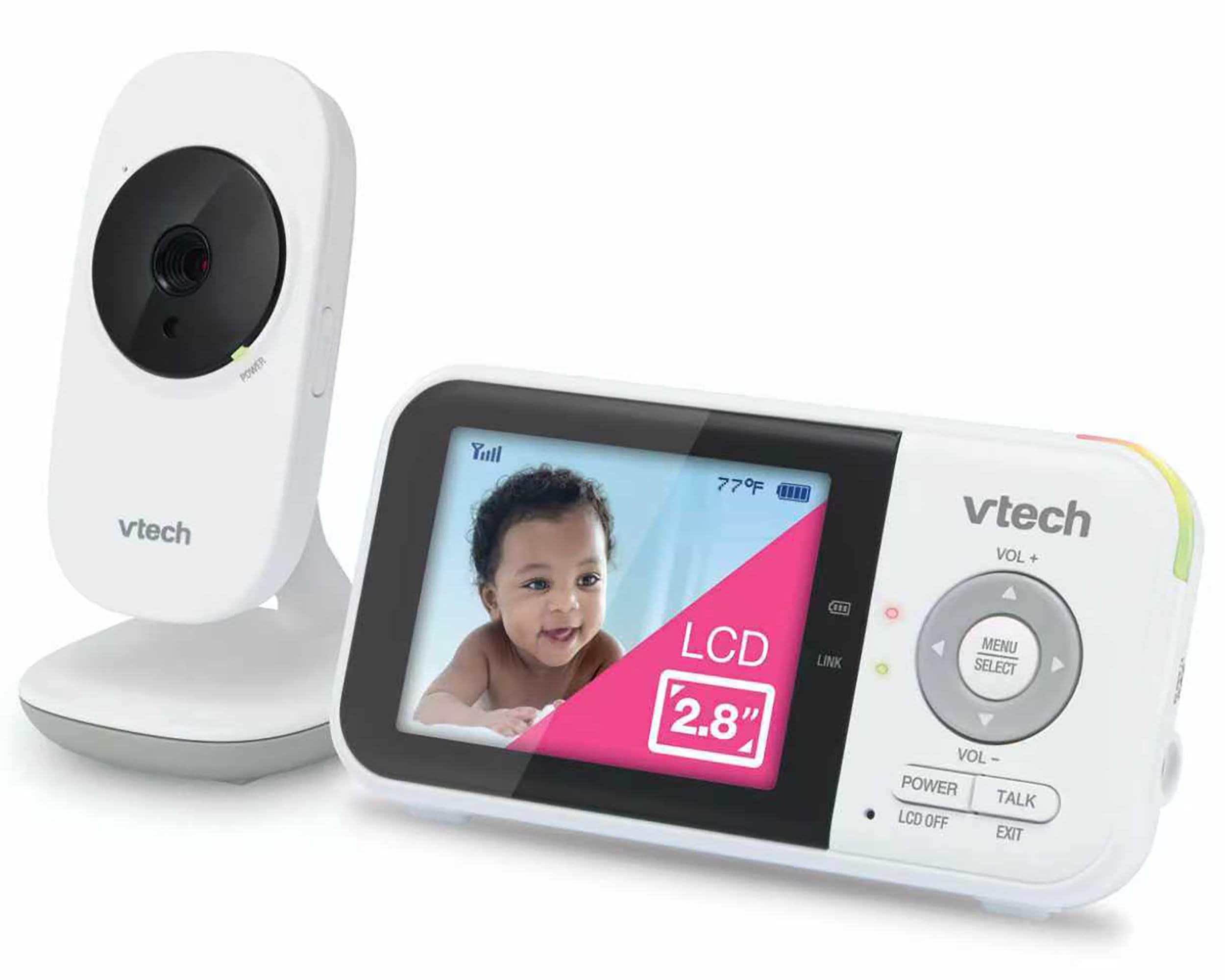
Step 2: Position the Camera in the Nursery
Place the camera on a stable surface or mount it to the wall, angled toward the crib. Plug it into an outlet. The VTech VM819 offers 1000ft range, so you can place it wherever you get the clearest view without worrying about signal loss.
Step 3: Power On Both Units
Turn on the parent unit. The camera and parent unit pair automatically using encrypted 2.4GHz FHSS technology—no buttons to press, no codes to enter. Within seconds, you'll see live video on the 2.8-inch LCD screen with zero streaming delay.
Step 4: Adjust Settings for Your Routine
Enable sound-activated screen mode to save battery—the display turns on only when your baby makes noise. Use 2x digital zoom to check details without entering the room. Infrared night vision activates automatically when the lights go out, and you can play built-in lullabies or use two-way talk to soothe your baby remotely.
What to Check Before Buying a Non-WiFi Monitor
- Battery life: Look for at least 10+ hours in video mode and longer in sound-activated standby.
- Range: Ensure coverage for your home layout; 1000ft works for most multi-story homes.
- Night vision: Infrared should activate automatically without manual switching.
- Privacy: Confirm the monitor uses encrypted transmission and never connects to the internet.
- Screen size: A 2.8-inch or larger display makes it easier to see details without squinting.
Who This Setup Works Best For
This monitor is ideal for parents who want privacy-first monitoring without dealing with apps, firmware updates, or network troubleshooting. It's also perfect for families in areas with unreliable WiFi or those who prefer keeping baby monitoring completely offline. The VTech VM819 rated 4.6 out of 5 stars offers exactly that—secure, simple, and ready to use out of the box.
Related Buying Guides
- VTech VM819 vs HelloBaby HB6550 vs HelloBaby HB6560: Which No-WiFi Baby Monitor Is Right for You?
- HelloBaby HB6550 No WiFi Baby Monitor: Common Questions Answered
- HelloBaby vs VTech Baby Monitor: Which No-WiFi Monitor Is Right for You?
- How to Set Up a Baby Monitor Without WiFi in Under 5 Minutes
- HelloBaby 6-Inch IPS Video Baby Monitor Review: 30-Hour Battery & No WiFi Needed
- VTech VM819 vs HelloBaby HB6550 vs HelloBaby HB6560: Non-WiFi Baby Monitor Comparison